
Every time I shop, scroll, download an app, book a service, or sign up for a new account, I leave behind small pieces of information. A name here, a phone number there, a saved card, an old password, a public profile, or a location tag may not seem like much alone. But together, they can create a digital trail that scammers, hackers, advertisers, and data brokers can use.
That is why How to Protect Your Personal Data Online is no longer just a tech topic. It is an everyday safety habit. The good news is that you do not need advanced cybersecurity skills to lower your risk. You need smart settings, better account habits, and a simple routine that keeps your private information harder to steal.
Why Personal Data Is Worth Protecting
Personal data includes your full name, email address, phone number, home address, date of birth, financial details, login credentials, Social Security number, browsing activity, photos, location data, and even answers to common security questions. Once this information gets exposed, it can be used for identity theft, fake accounts, phishing messages, payment fraud, account takeovers, or targeted scams.
The biggest risk is not always one dramatic hack. Many problems start with small leaks, weak passwords, oversharing on social media, unused accounts, or apps that collect more information than they need.
Use Strong, Unique Passwords for Every Account
The first step is simple: stop reusing passwords. If one website has a data breach and you used the same password elsewhere, criminals may try that login on your email, banking, shopping, and social media accounts.
A strong password should be long, unique, and hard to guess. Avoid names, birthdays, phone numbers, pet names, favorite teams, or common words. A passphrase with several unrelated words can be easier to remember and harder to crack.
Turn On Two-Factor Authentication
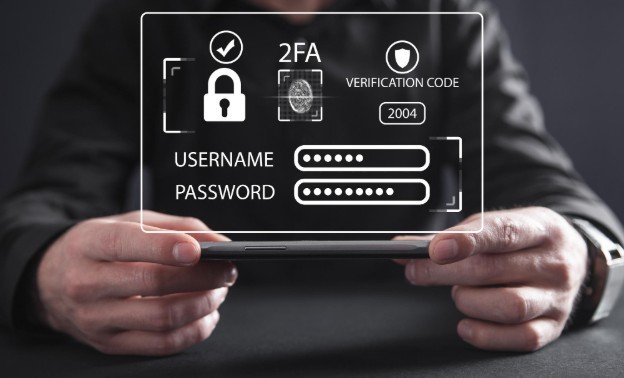
Two-factor authentication adds a second layer of protection after your password. This may be a code from an authenticator app, a security key, or a prompt on your phone. Even if someone steals your password, they still need the second step to enter your account.
Authenticator apps and security keys are often safer than text-message codes because phone numbers can be targeted through SIM-swap attacks. Start with your email, banking apps, cloud storage, password manager, and shopping accounts.
Use a Password Manager
A password manager helps you create and store strong passwords without having to remember each one. It can also warn you about reused, weak, or exposed passwords. This is one of the easiest upgrades because it removes the temptation to use the same simple password everywhere.
Choose a trusted password manager, protect it with a strong master password, and enable two-factor authentication for it.
Keep Devices, Apps, and Browsers Updated
Software updates are not just about new features. They often fix security weaknesses that attackers can exploit. Turn on automatic updates for your phone, laptop, browser, apps, and operating system.
Also remove apps you no longer use. Old apps can keep collecting data, hold outdated permissions, or become security risks if they are no longer maintained.
Watch Out for Phishing Emails and Scam Texts
Phishing is one of the most common ways criminals steal personal data. A message may pretend to be from your bank, delivery service, government agency, employer, streaming service, or online store. It may pressure you to click a link, reset a password, confirm payment details, or download an attachment.
Do not click links from unexpected messages. Go directly to the official website or app instead. Watch for urgent language, spelling mistakes, odd sender addresses, unexpected attachments, and requests for sensitive information.
Be Careful on Public Wi-Fi
Public Wi-Fi at airports, hotels, cafes, libraries, and stores can be convenient, but it is not always secure. Avoid logging into banking, tax, healthcare, or sensitive work accounts on public networks.
Use mobile data when possible for private tasks. If you must use public Wi-Fi, avoid unknown networks, turn off auto-connect, and consider using a trusted VPN for an added layer of privacy.
Lock Down Social Media Privacy Settings
Oversharing can make scams easier. Public posts may reveal your birthday, hometown, workplace, family members, school, vacation plans, routines, and security-question answers.
Review who can see your posts, friend list, photos, location tags, and contact details. Avoid posting travel plans in real time. Limit personal details in bios, and be careful with quizzes that ask for information like your first car, childhood street, or mother’s maiden name.
Use Email Aliases for Sign-Ups
Your main email address is valuable because it connects many accounts. Using aliases or separate emails for shopping, newsletters, trials, and one-time sign-ups can reduce spam and make leaks easier to control.
Keep your primary email for important accounts only. If a shopping alias gets exposed, you can replace it without disrupting your banking, healthcare, or work accounts.
Delete Old Accounts and Unused Apps
Old accounts are easy to forget, but they may still store your name, passwords, addresses, saved cards, messages, or order history. Search your email inbox for words like “welcome,” “verify,” “account,” and “password reset” to find old sign-ups.
Delete accounts you no longer need. If deletion is not possible, remove saved payment methods, change the password, reduce stored personal details, and use tech tools to make daily work easier when managing passwords, privacy settings, and account cleanups.
Remove Your Data From People-Search Sites
Many people-search and data broker websites collect names, addresses, phone numbers, relatives, and other public or purchased records. This can make it easier for strangers or scammers to find you.
Search your name online and request removal from major people-search sites where possible. Some services can help automate this, but you can also submit removal requests manually.
Check What Appears About You Online
Search your name, phone number, email address, and home address in a private browser window. Look at what appears in search results, image results, and people-search listings.
Some search engines offer tools that help you request removal of certain personal contact information. This will not erase the data from the entire internet, but it can reduce easy visibility.
Monitor Accounts, Credit, and Data Breaches
Check bank and card statements often for unfamiliar charges. Turn on transaction alerts where available. Review credit reports and consider a credit freeze and fraud alerts if you are worried about identity theft.
Use breach-checking tools or monitoring services to see whether your email or passwords have appeared in known data leaks. If an account is exposed, change the password immediately and turn on two-factor authentication.
What to Do If Your Personal Data Is Leaked
If your data is exposed, act quickly. Change affected passwords, log out of all sessions, enable two-factor authentication, contact your bank if financial details are involved, and watch for suspicious messages.
If sensitive identity information is involved, consider placing a fraud alert or credit freeze. Keep records of emails, alerts, charges, and reports in case you need to dispute fraud later.
Frequently Asked Questions
1. What is the easiest way to start protecting my data?
The easiest place to start is your email account. Use a strong password, turn on two-factor authentication, review recovery options, and remove old connected apps. Your email is often the key to resetting passwords for other accounts.
2. How often should I change my passwords?
You do not need to change strong passwords constantly unless they are weak, reused, or exposed in a breach. The better habit is to use unique passwords for every account and store them in a password manager.
3. Is public Wi-Fi always unsafe?
Public Wi-Fi is not always dangerous, but it is less private than your home network or mobile data. Avoid sensitive tasks on public networks, especially banking, tax forms, medical accounts, or work logins.
4. Why is How to Protect Your Personal Data Online important for everyday users?
It matters because daily habits like shopping online, using apps, saving passwords, and posting on social media can expose private information. A few smart changes can reduce your risk of scams, account theft, and identity fraud.
Final Thoughts
I see personal data protection as a regular life habit, not a one-time setup. The internet is useful, but it also rewards people who pay attention to what they share, where they log in, and how they secure accounts.
The best way to practice How to Protect Your Personal Data Online is to start small today. Secure your email, update your passwords, turn on two-factor authentication, clean up old accounts, and check what information about you is already visible. These simple steps can make your digital life safer, cleaner, and much harder for scammers to exploit.




Leave a Reply