
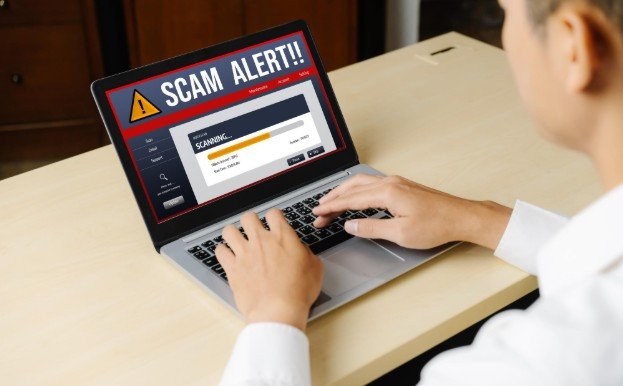
Online scams were easy to spot because they looked messy, urgent, or obviously fake. That has changed. Today, a scam text can look like a real delivery update, a fake job offer can look professional, and a phishing email can copy the tone of a company you already trust. That is why learning Common Online Scams and How to Avoid Them is not just useful anymore. It is basic digital self-defense.
Scammers no longer rely only on strange messages from unknown senders. They use social media, payment apps, shopping websites, fake support pages, artificial intelligence, and even copied voices to create believable traps. The good news is that most scams still follow patterns. Once you know the warning signs, you can slow down, check the source, and protect your money before damage happens.
Why Online Scams Are Getting Harder to Spot
Online scams are more convincing because scammers study real behavior. They know people are busy, distracted, and used to clicking fast. A message may say your bank account is locked, your package cannot be delivered, your password has expired, or your payment failed. The goal is always the same: make you panic, act quickly, and skip normal caution.
Many scams also use trusted names. A fake message may pretend to come from a bank, delivery company, government office, streaming service, online marketplace, or tech support team. Some scams even create fake websites that look almost identical to real brands. A small spelling change in the domain name may be the only clue.
Phishing, Smishing, and Vishing Scams
Phishing is one of the most common internet scams. It usually arrives by email and asks you to click a link, verify an account, reset a password, or confirm a payment. Smishing is the text-message version, while vishing happens over phone calls.
The warning signs are easy to miss. The message may create fear, offer a reward, or claim urgent action is required. It may ask for a password, Social Security number, banking login, or one-time security code. Real companies usually do not ask for sensitive details through random links. The safest habit is to avoid clicking links in unexpected messages. Open the official app or type the website address yourself.
Fake Shopping Websites and Online Marketplace Scams

Fake shopping scams often use huge discounts, copied product photos, and limited-time offers to make buyers act fast. These websites may sell products that never arrive, trade fake counterfeits, or steal payment details.
Before buying from a new store, check the website address, return policy, contact details, customer reviews, and payment options. Be careful with stores that only accept wire transfers, gift cards, crypto, or payment methods with limited protection. Credit cards are often safer for online purchases because they may offer dispute options.
Online marketplaces also have risks. A scammer may ask you to move the conversation outside the platform, pay before seeing the item, or send money through a payment app marked as “friends and family”. Keep payments and messages inside the trusted platform whenever possible.
Package Delivery and Fake Account Alert Scams
Delivery scams are common because many people shop online. A fake text may say your package is delayed, your address is wrong, or a small delivery fee is required. The link usually leads to a fake page that collects card details or personal information.
Account alert scams work the same way. A message may say your bank, email, or streaming account has suspicious activity. Instead of clicking, go directly to the official website or app. If there is a real problem, you will usually see it there.
Tech Support and Remote Access Scams
Tech support scams often begin with a pop-up warning, phone call, or fake virus alert. The scammer may claim your computer has been hacked and ask you to download remote access software. Once they get access, they can steal files, install malware, or pressure you into paying for fake repairs.
No legitimate tech company will randomly call and demand access to your device. Close suspicious pop-ups, restart your browser, and contact the company through its official support page if you are unsure. You can also follow easy ways to speed up slow laptop performance safely instead of trusting random pop-ups or fake repair alerts.
Romance, Friendship, and Pig Butchering Scams
Romance scams are emotionally manipulative. A scammer builds trust through dating apps, social media, or messaging platforms, then creates a crisis that requires money. Pig butchering scams are similar but often combine fake relationships with investment fraud. The scammer slowly builds trust, then encourages the victim to invest in crypto or a fake trading platform.
Red flags include refusing video calls, moving too quickly, asking for money, claiming an emergency, or pushing a secret investment opportunity. Never send money to someone you have not met in person, and never invest through a platform recommended by a new online contact.
Fake Job and Work-From-Home Scams
Job scams target people looking for remote work, side income, or flexible schedules. A fake recruiter may offer a high-paying role with little experience needed. They may ask for personal information early, request a fee for training, or send a fake check and ask you to return part of the money.
A real employer should not ask you to pay to get hired. Be cautious if the interview happens only through messaging, the offer arrives too fast, or the company email does not match the official domain. Search the company independently before sharing documents.
Investment, Crypto, and Payment App Scams
Investment scams promise fast profits with low risk. Crypto scams often use fake dashboards that show fake gains to convince victims to deposit more money. Payment app scams may involve fake refunds, fake buyers, accidental payment claims, or urgent requests from someone pretending to be a friend or relative.
The rule is simple: guaranteed profit is a warning sign. Never let pressure, fear of missing out, or a stranger’s success story push you into sending money. Once funds are sent through crypto, wire transfer, gift card, or some payment apps, recovery can be difficult.
AI Voice, Deepfake, and Social Media Scams

Scammers now use AI to make scams feel more personal. A fake voice call may sound like a family member in trouble. A deepfake video may appear to show a celebrity promoting an investment. A hacked social media account may message friends asking for money or promoting a fake giveaway.
When a request feels urgent, verify it through a second channel. Call the person directly using a saved number. Do not trust voice alone. For celebrity giveaways or investment promotions, check official accounts and avoid sending money to claim a prize.
How to Avoid Online Scams Before You Click
The best protection is a pause. Scams depend on speed, emotion, and confusion. Before clicking, paying, or sharing details, ask yourself whether the message was expected, whether the sender can be verified, and whether the request makes sense.
Use strong passwords, turn on multi-factor authentication, keep software updated, and avoid reusing the same password across accounts. Check website addresses carefully. Do not share one-time passcodes. Be cautious with public Wi-Fi when using financial accounts. When in doubt, contact the company directly through official channels.
What to Do If You Already Got Scammed
If you sent money or shared information, act quickly. Contact your bank or card company and explain what happened. Change passwords for affected accounts. Turn on multi-factor authentication. Scan your device for malware if you clicked a suspicious link or installed software.
If personal information was exposed, consider placing a fraud alert or credit freeze. Report the scam to the proper authority so it can be tracked. Save screenshots, emails, phone numbers, receipts, website links, and payment records. These details may help during recovery.
Frequently Asked Questions
1. What are Common Online Scams and How to Avoid Them?
They include phishing, shopping fraud, fake jobs, romance scams, tech support scams, crypto scams, and AI scams; avoid them by verifying sources, avoiding rushed payments, and never sharing sensitive details through random links.
2. How can I tell if a website is fake?
Look for strange domain names, missing contact details, poor return policies, unrealistic discounts, copied content, and payment methods that offer little buyer protection.
3. What should I do if I clicked a scam link?
Close the page, do not enter details, change passwords if needed, scan your device, monitor accounts, and contact your bank if payment information was exposed.
4. Are payment apps safe from scams?
Payment apps can be safe when used with trusted people, but they are risky when sending money to strangers, fake sellers, or urgent requests you have not verified.
Final Thoughts
I believe the safest online habit is not fear. It is slowing down. Scammers want instant reactions, but one extra minute can protect your money, identity, and peace of mind. When a message feels urgent, emotional, or too good to be true, pause before you click.
The internet is still useful, convenient, and full of real opportunities. You just need sharper filters. Once you understand Common Online Scams and How to Avoid Them, you can shop, work, communicate, and manage money online with more confidence.




Leave a Reply